

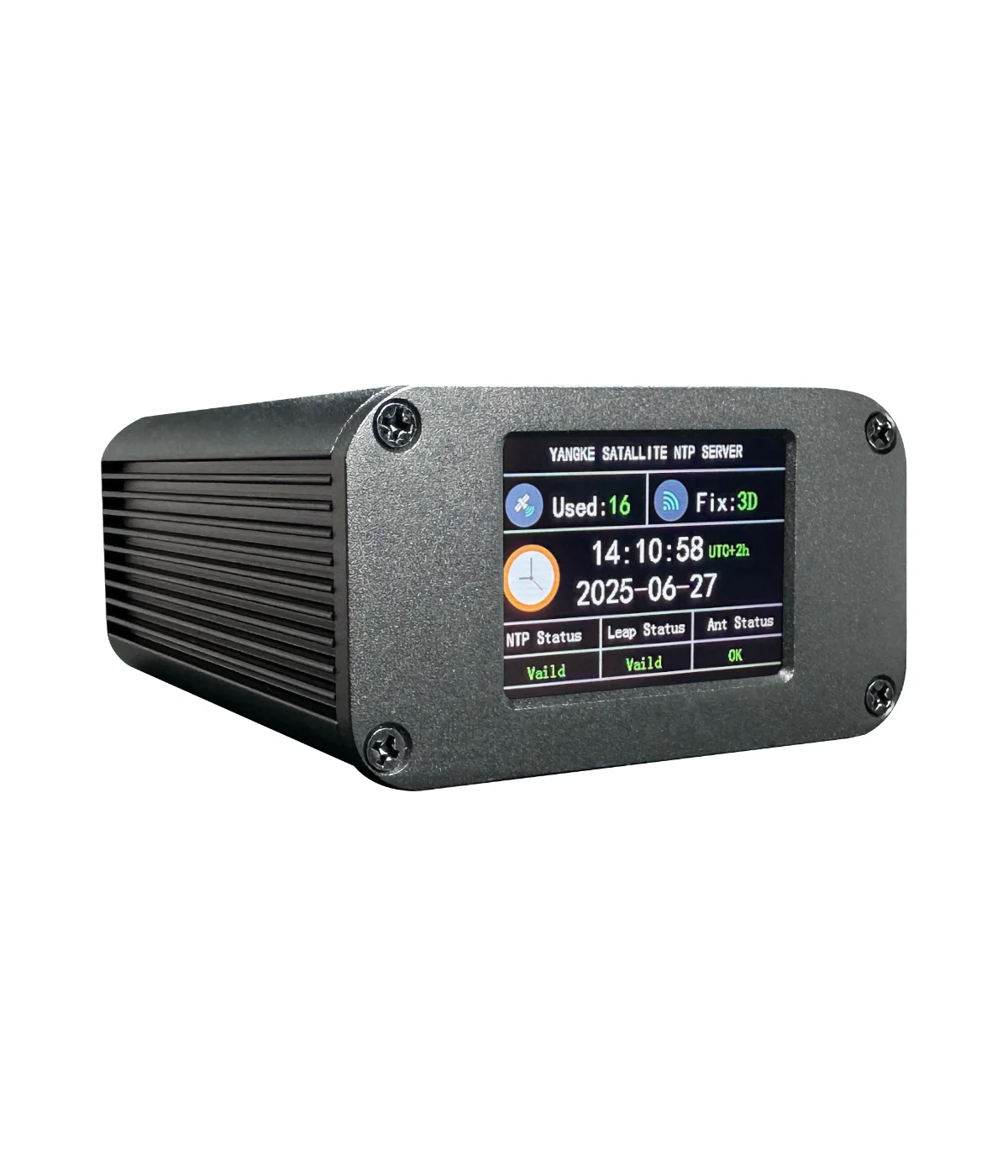
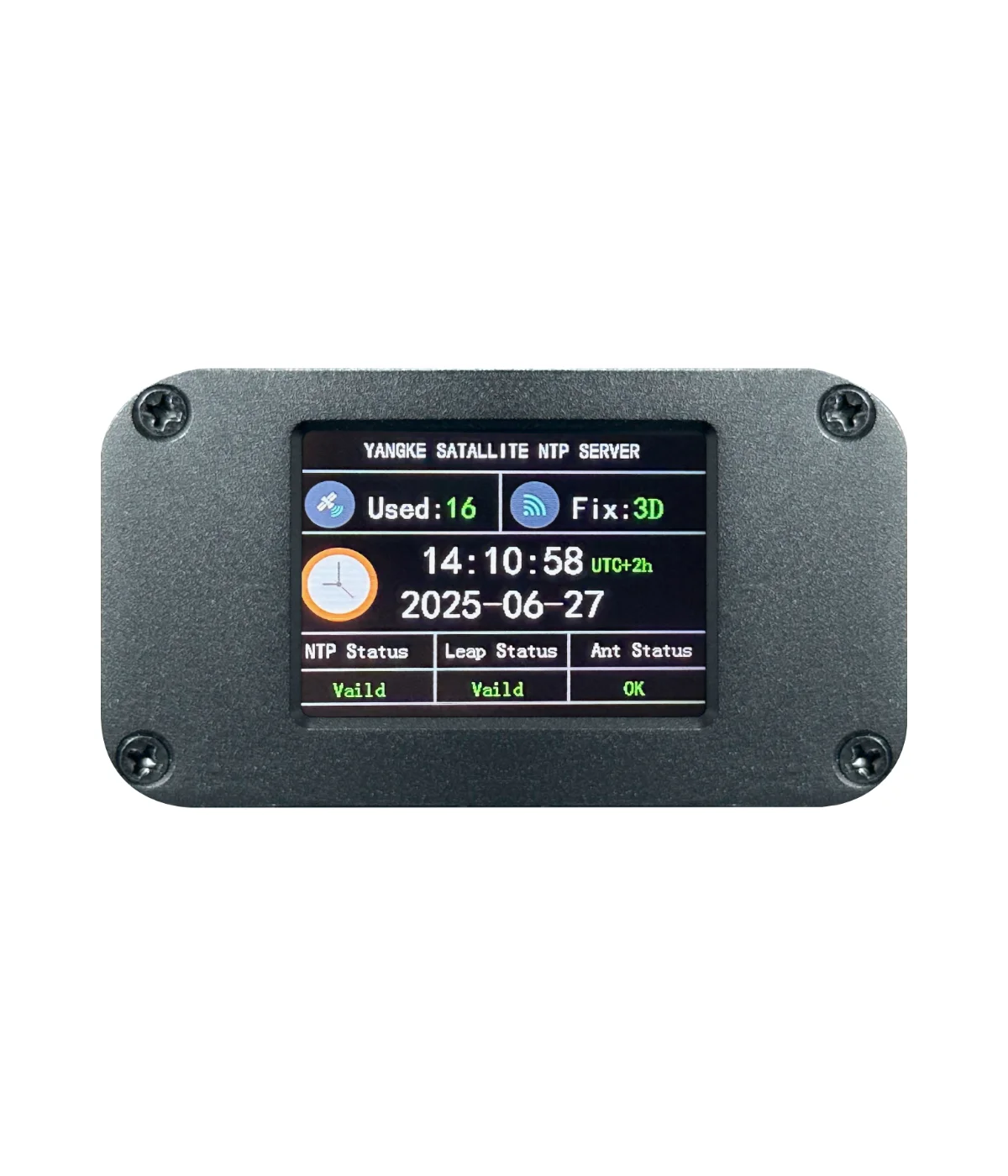


What is an NTP server used for? It is used to accurately synchronize time using GPS. Precise time is especially important for digital modulations, such as FT8 and EME communication. If you are going to a remote location where internet connectivity may be problematic, the clock on your PC may drift, making FT8 and other operations impossible. This small portable NTP server is a valuable addition to your local area network (LAN) and allows you to synchronize the exact time for all devices. In addition to the network NTP service, it has a color LCD that displays the current time in the selected time zone and GPS status. The error between the output second pulse's accurate edge and the edge of international standard time is less than 0.5µs. An external GPS antenna with a 10m long cable allows the antenna to be placed outside with a good view of the sky.
Specifications
| Function | GPS-based NTP server, NTP output to LAN, precise timing |
|---|---|
| System | GPS and Beidou |
| Supply voltage | DC 5 V |
| Cold start | typ. < 5 s |
| Auto position/time lock | 1 minute |
| Display | Color LCD, status/time/date, time offset by DIP switch |
| Protocols | ARP, ICMP, UDP, NTP, SNTP |
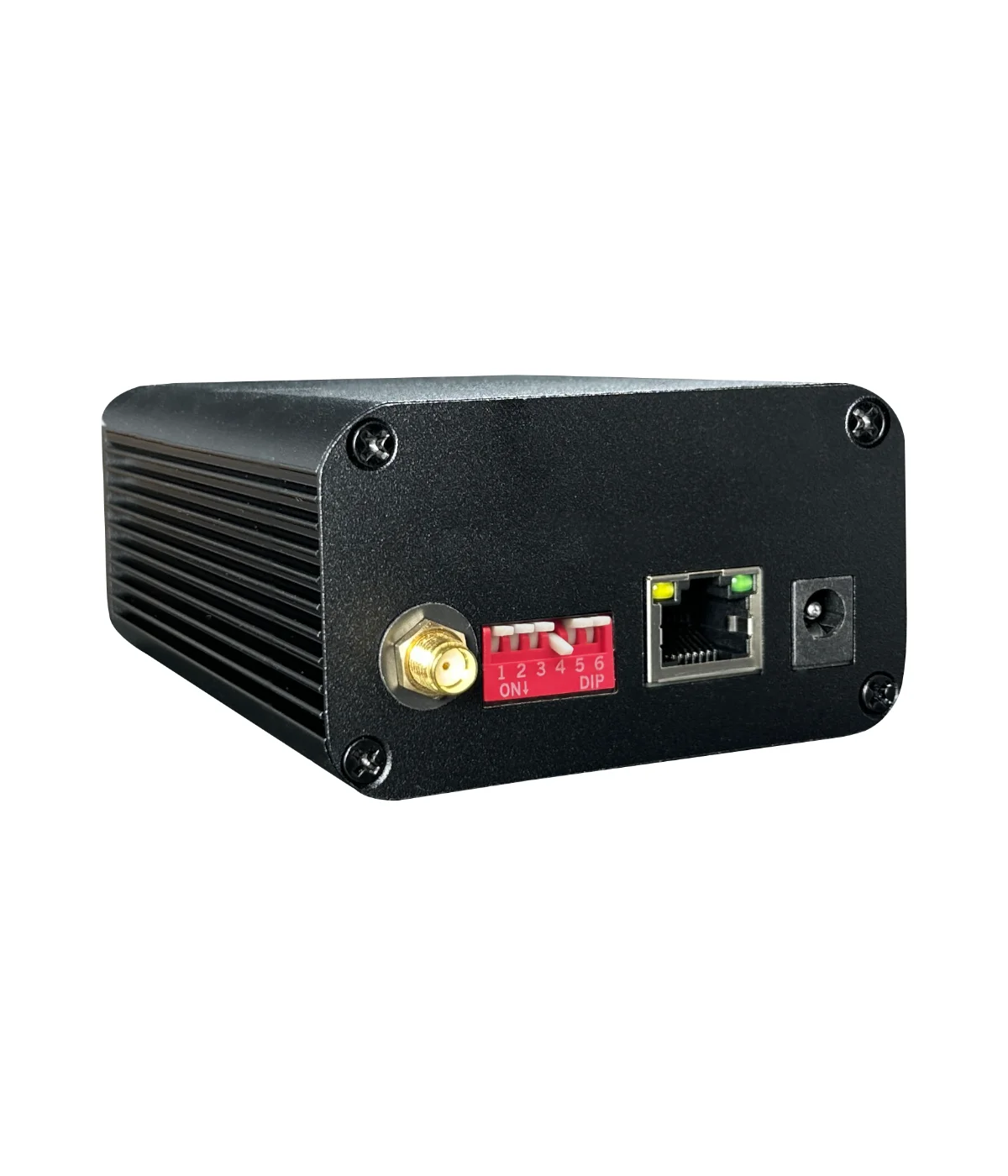
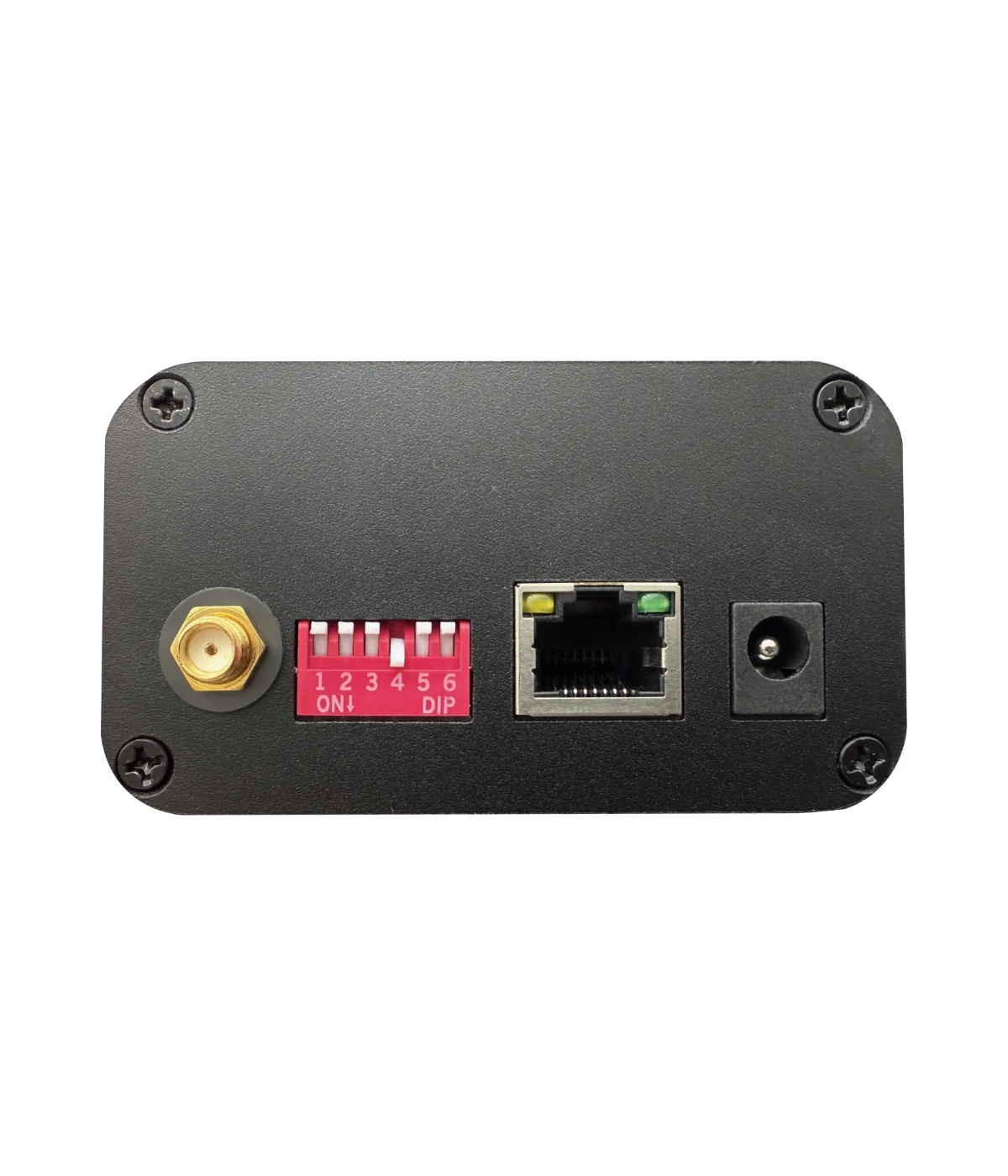
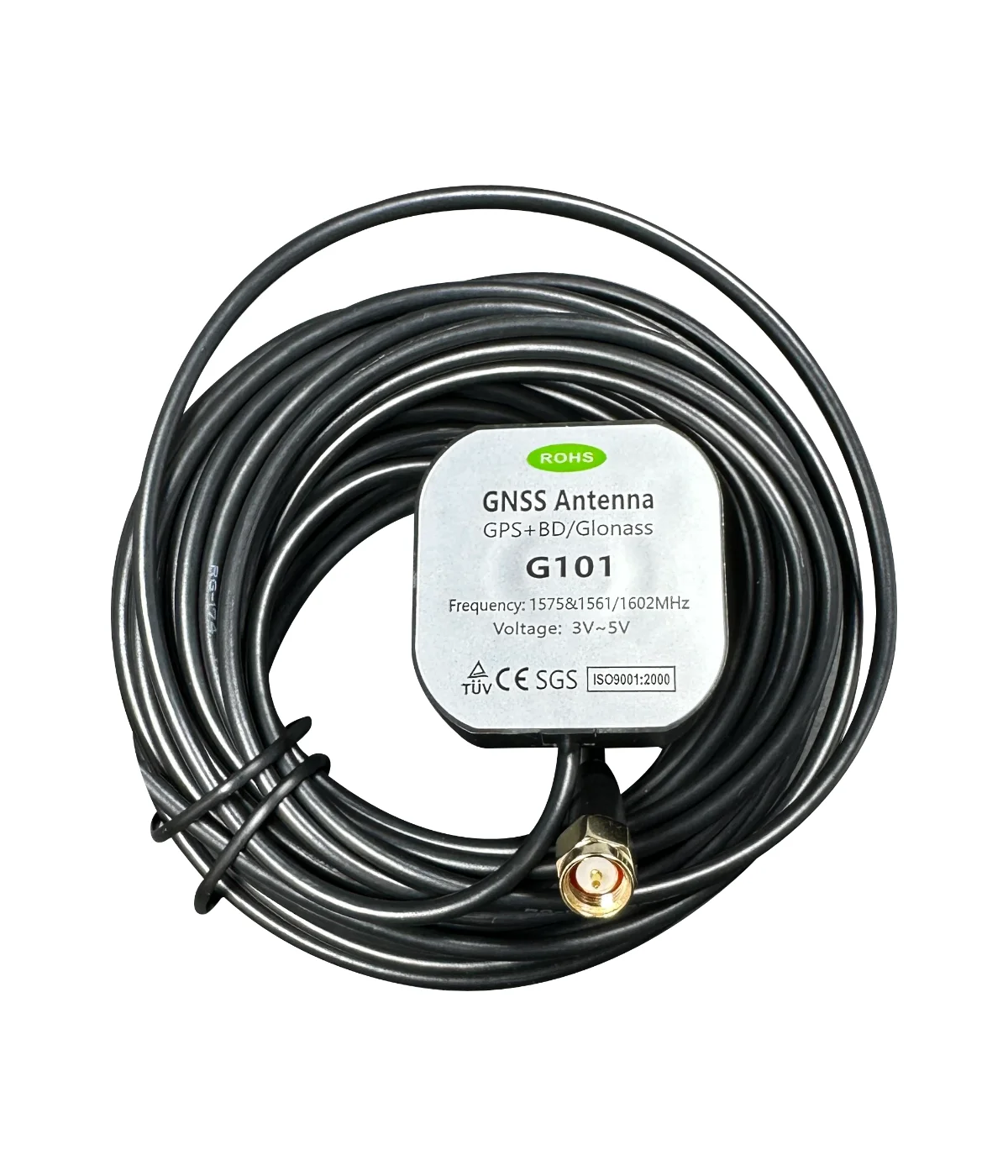
| GPS antenna | 10m long, SMA |
| Dimensions | 115x105x55 mm |
PC Time Sync
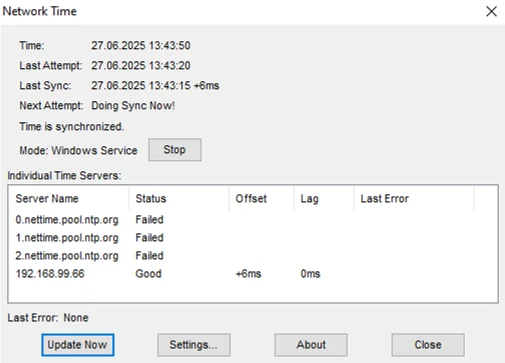
This NTP server uses the standard NTP protocol. You can set up an NTP client on your PC, but for simplicity, we recommend using an application that periodically sets the PC time. For Windows, you can use the NetTime app - download it from our Attachments section.
Set the IP address of the NTP server in its settings.
Configuration
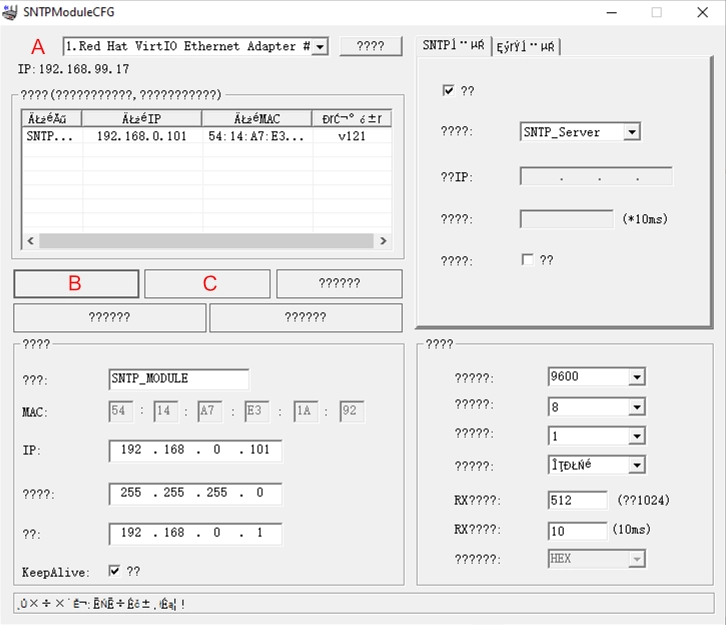
A simple program is used to configure the NTP server. The program is only in Chinese and has no button descriptions when turned on. However, the configuration is simple and is explained in the steps below. The advantage is that you do not need to know the IP address of the NTP server or be in the same range to set it up — the requirement is only to be on the same LAN.
Step by Step Configuration
- Connect the NTP server to your LAN and power it on.
- Run the application: SNTPModuleCFG.exe
- Select the correct Ethernet port used by your PC to connect to the LAN (A).
- Click button (B) — the IP address will be loaded.
- Set the IP, mask and gateway as needed.
- Click button (C) to save the configuration to the NTP server.
- You can verify it using the PING command from CMD.
- You can now use the NTP server from any device with an NTP client.
Time at Display
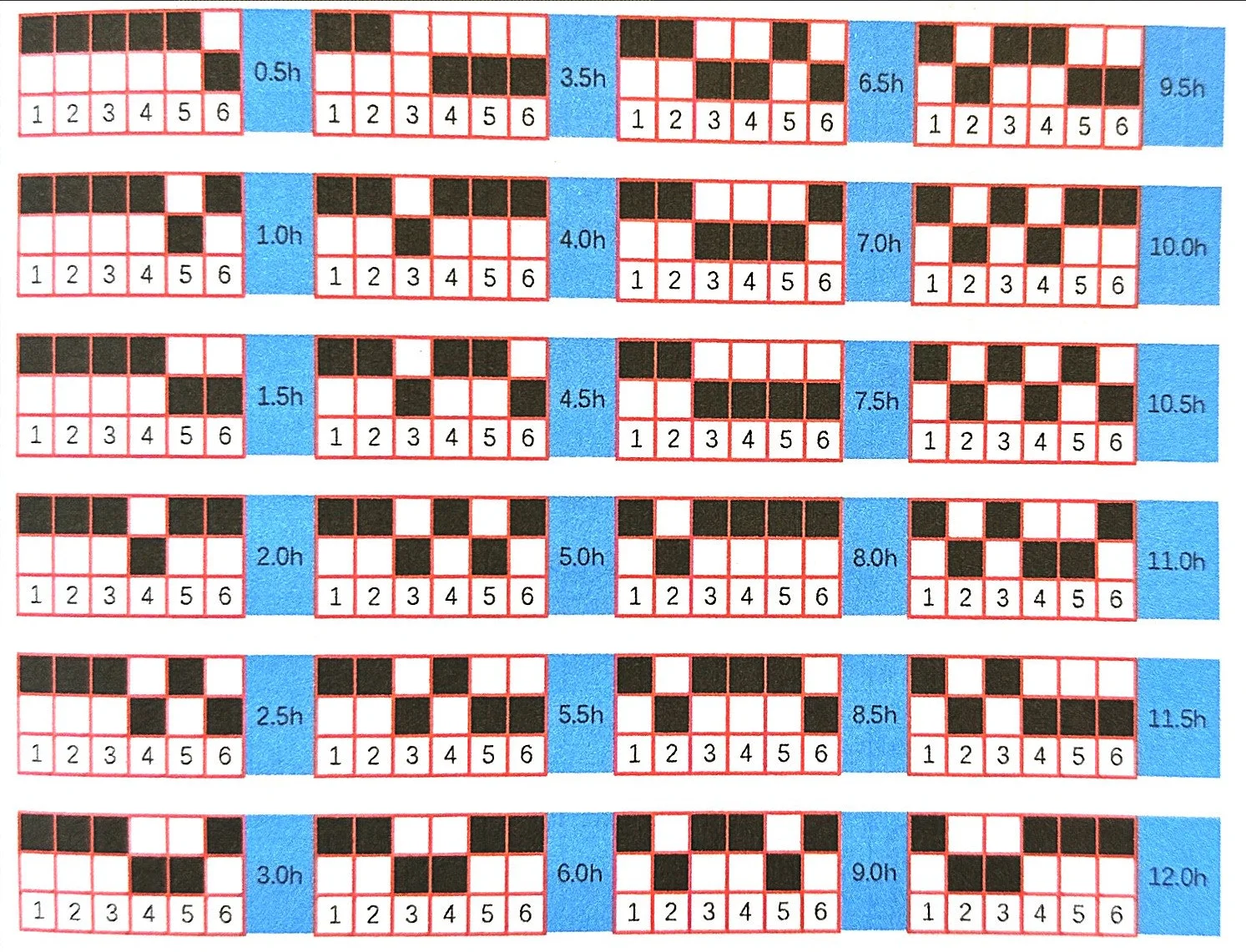
The LCD shows status information as well as the correct time and date. The only thing you need to do is set the correct time zone. There are DIP switches on the rear panel for exactly this purpose. Please set the correct configuration from the reference table and re-power the NTP server.
Downloads & Resources
Gallery
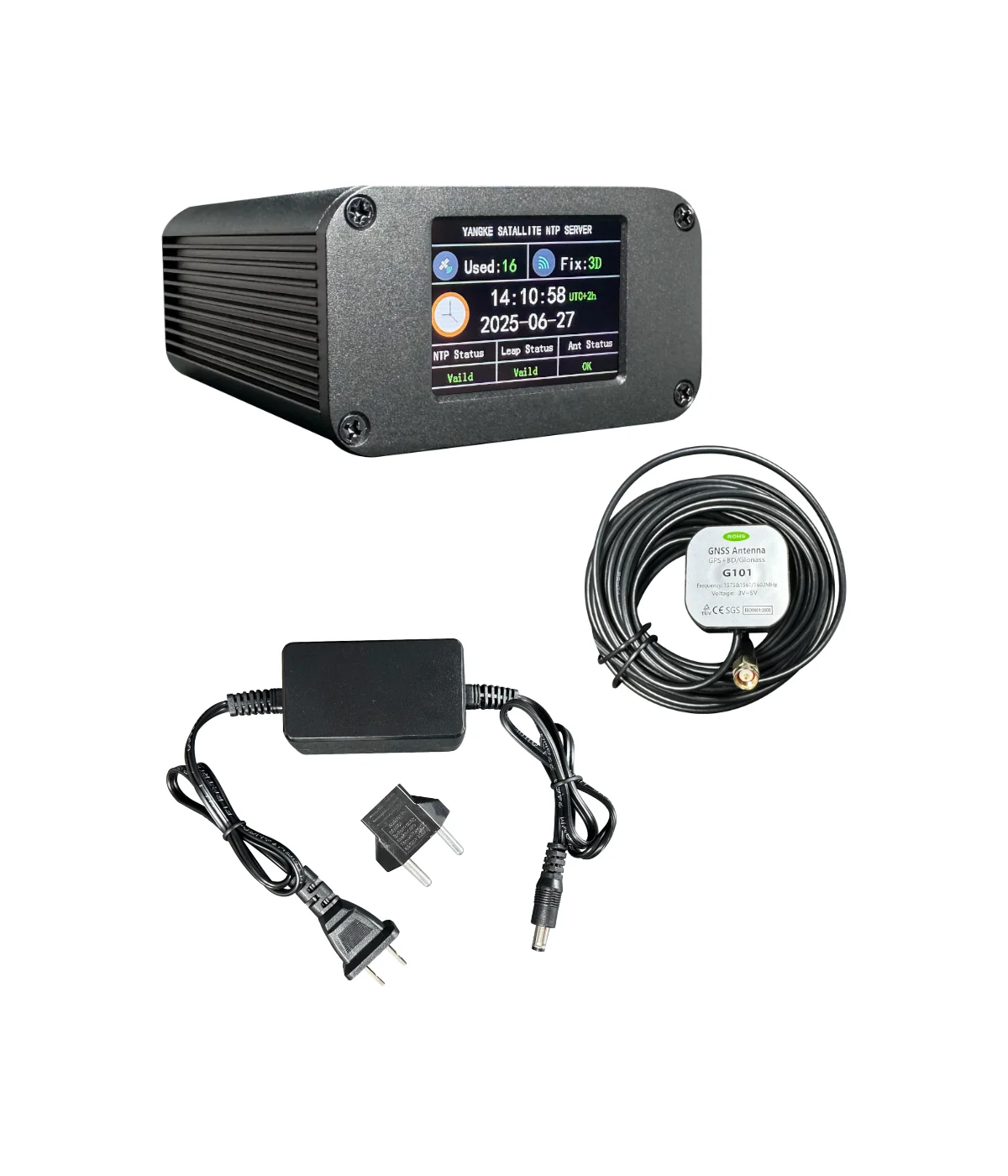
In the box
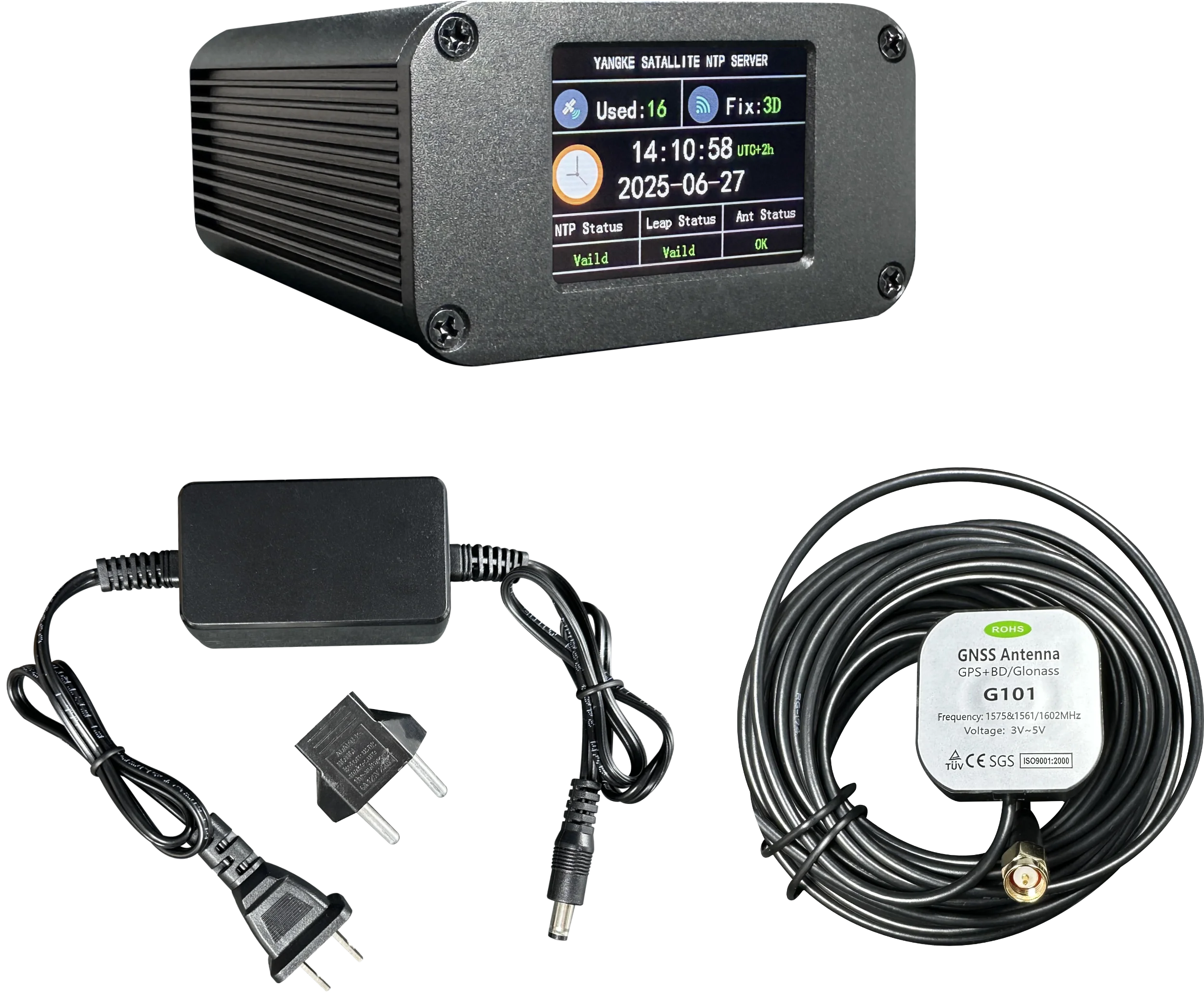
- NTP server
- GPS antenna with 10 m long coax
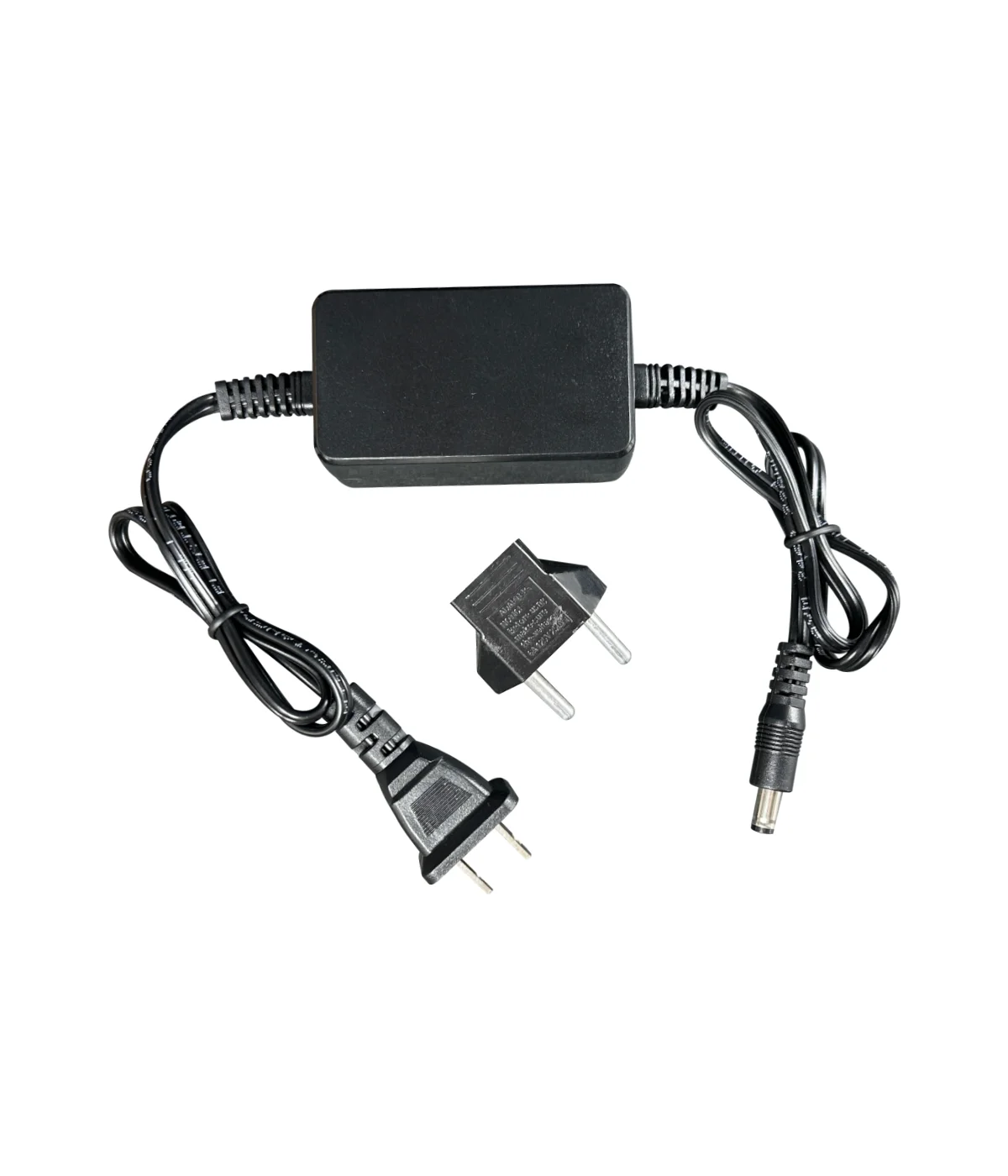
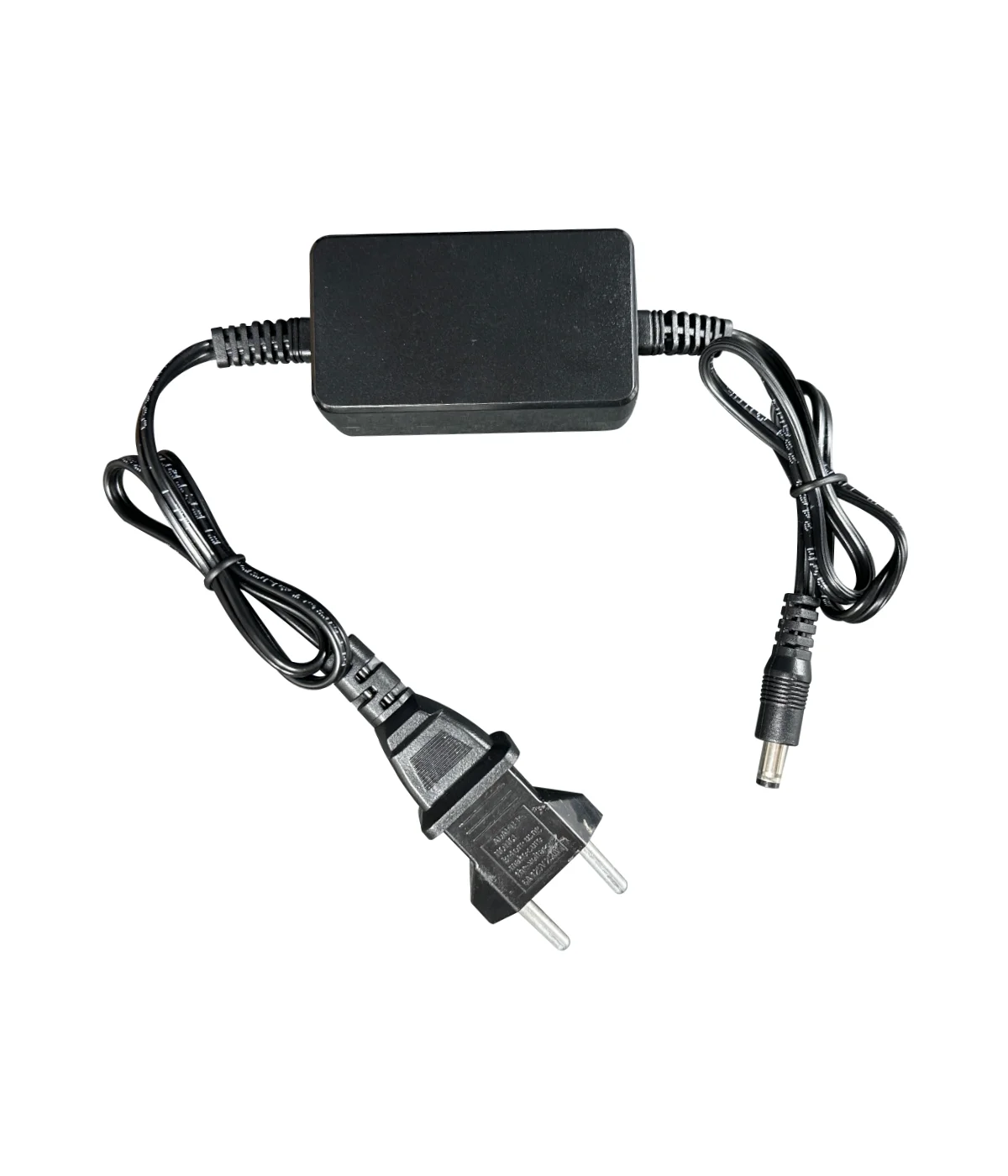
- Switching power supply 5 V, 2 A
You May Also Like


Your review appreciation cannot be sent
Report comment
Report sent
Your report cannot be sent
Write your review
Review sent
Your review cannot be sent